
Definitive guide
Bluehost Vs WP Engine
Bluehost Vs WP Engine 2026 – 9 Crucial Differences
#1 Hosting For Ecommerce Websites
Having doubts about Bluehost vs WP Engine?
From customer support to pricing. The two most popular web hostings have crucial differences.
★★★★★
My work is supported by affiliate commissions. Learn more.
#1 Introduction

Bluehost vs WP Engine at a glance
Bluehost

Bluehost is the most outstanding all-around web hosting provider. While the competition is intense right now, it continues to perform great in almost every way, providing speed, protection, flexibility, and, most importantly, exceptional reliability.
In addition to various web hosting services, Bluehost also provides marketing programs, content development, and more! Overall, this web host caters to everyone, from new bloggers to huge e-commerce companies and long-time WordPress users. The good consistently exceeds the negative, so it’s a web hosting service worth investigating—particularly for WordPress users.
I believe that most consumers would love Bluehost’s vast product offerings, including WordPress hosting, shared hosting, dedicated hosting, and multi-tiered price plans.
WP Engine
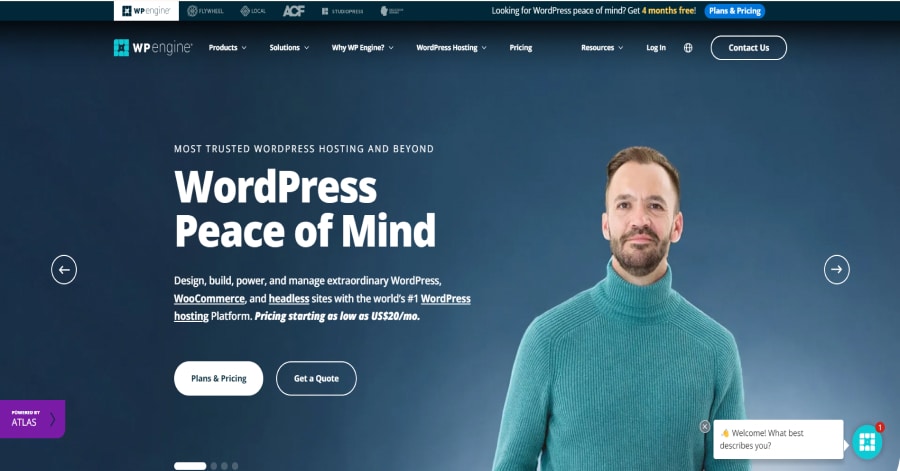
WP Engine stands out from the crowd due to its fast page loading and superior performance. It’s ideal for high-traffic sites and growing businesses because it won’t crash if you have many visitors, even on the cheapest packages.
#2 Pricing
Let’s talk about pricing. This might be the variable that could help you choose between Bluehost and WP Engine.
Bluehost Pricing

Bluehost has trustworthy hosting packages designed for your goals, whether you’re just starting or require extensive functionality. Check out these plans before getting one for yourself or your desired business.
- BASIC ─ $2.95 per month
- PLUS ─ $5.45 per month
- CHOICE PLUS ─ $5.45 per month
- PRO ─ $13.95 per month
Just a piece of advice, every Bluehost plan includes a free SSL certificate, so you’ll never have to deal with the hassle of visitors seeing a notice that your website is unsafe.
Pros
Spend a bit of time studying the top web hosting services, and Bluehost will be mentioned multiple times as it’s widely utilized and extremely popular.
But what distinguishes Bluehost from the competition? Check out these pros I came to know as your helpful guide.
- Blogger-friendly
- Simple to use, even for beginners
- Exceptional server uptime (99,98%)
- Incredibly fast server speed
- WordPress compatible
- Great customer service
Cons
Even though Bluehost is an ideal choice for web users, it still has its downsides for you to know about. Check out the following:
- Increased price for renewals
- Upgrades and add ons modes are pricey
- Limitations of the entry-level plan
WP Engine Pricing

WP Engine provides 3 WordPress hosting solutions.
- Essential – $20 per month
- Core – $400 per month
- Enterprise – $2000 per month
All plans include fully managed WP, PHP, MySQL updates, and more! Feel free to check the page for more details. WP Engine also offers a 60 day money-back guarantee. Don’t miss it out.
Pros
- World-class Hosting Infrastructure
- Automatic WordPress & platform updates
- Multiple caching layers
- 24x7x365 expert customer support team ready to assist you
- Numerous add-ons are available for all plans
Cons
- Premium Consulting / Integration Services
- Only hosts WordPress
- Not cost-effective
- No email hosting included
Winner: I’d choose Bluehost to save more. WP Engine is not economical. Their Startup plan costs $23 per month (for a 12-month subscription), includes a single installation, and handles approximately 25,000 visits per month. If you’re starting with a single domain, Bluehost has a shared hosting plan for a couple of monthly dollars.
#3 Speed
Remember this: the faster your site loads, the higher your conversion rate.
People despise waiting, so do your best to choose a web host that provides quick page loading time. The more effort you invest in maintaining your website fast and conveniently, the more revenue you generate.
The question is…
Can Bluehost and WP Engine give you the speed you’re looking for?
Bluehost
Bluehost is among the quickest A-rated hosting providers with a speed of 140 ms. In my judgment, you can be guaranteed that Bluehost will be able to process regardless of where your core audience is located.
WP Engine
WP Engine uses third-party data to determine who has the fastest platform and discovered that it has the highest percentage of top WordPress hosts’ sites that load in less than 200ms. Its proprietary EverCache caching technology is built with WordPress-specific rules to move hundreds of millions of hits daily, allowing your site to run faster and more efficiently. To provide a fast experience to global audiences, they also provide a free CDN and global data centers.
How does WP Engine improve the speed of your website?
-
Excellent Hosting Infrastructure
WP Engine can provide a 99.99% SLA because its architecture is highly available, redundant, scalable, and secure.
-
WordPress and platform updates are carried out automatically
WordPress core updates are automatically pushed, and major updates are thoroughly reviewed.
-
Uses the most recent PHP version
Using the most recent and fastest PHP version, you can serve up to three times more requests per second.
-
Quickly delivers content to your visitors.
WP Engine has free CDN (Cloudflare) with full management! For those unaware, CloudFlare is a content delivery network (CDN). A CDN is a distributed network of servers that offers various benefits to a website: caching website content: By caching website information, Cloudflare improves page load speeds, reduces bandwidth usage, and reduces CPU utilization on the server.
Cloudflare’s design provides a comprehensive collection of L3-L7 network services accessible from a single dashboard. It is intended to perform every service across our global network on every server in every data center, so there is no need for any software or hardware.
-
Several caching layers
There is no need to install or update caching plugins. By default, WP Engine servers use extensive caching. This factor contributes to WP Engine being the fastest WordPress website host. When using page caching, the typical flow for the first-page request is as follows:

When you use a cached version, many of these steps are saved:

Each caching layer has its own default expiration time.
-
Always safeguarded
Expert customer service is available 24 hours a day, seven days a week.
Winner: Because high-performing sites rank higher in Google searches, a great page experience is critical for your business. WP Engine‘s platform is optimized for Core Web Vitals, and it is the only managed WordPress host that addresses all CWV metrics, including loading, interactivity, and visual stability.
#4 Uptime
Uptime is an excellent indicator of how well a web hosting service keeps its systems up and functioning. Do Bluehost and WP Engine have a high uptime percentage? Let’s find out.
Bluehost
Bluehost guarantees 99.88 percent uptime! Because no web host can promise 100 percent uptime, 99.88% is a convincing win, equating to approximately one hour and 45 minutes of downtime every year.
WP Engine
WP Engine guarantees 99.95% server uptime, equating to about four and a half hours of downtime annually.
Winner: WP Engine wins this category with a 99.95% uptime! WP Engine is a dependable hosting provider due to its excellent customer service, strong uptime, and low-cost starter plans. It is an excellent choice if you want old-fashioned dependability.
#5 Customer Service
It is simple to obtain hosting. And while things seldom go wrong, if they do, you don’t want the burden of feeling like you’re handling it alone, especially if you’re unfamiliar with everything.
Let’s see if Bluehost and WP Engine have the support you need when things get rough.
Bluehost Support

One advantage of partnering with a large provider such as Bluehost is that they provide complete support, such as 24/7 chat and phone assistance!
They’re easily reachable via live chat, and I didn’t even wait more than five minutes to speak with someone. In addition, the agents always answer with beneficial information, frequently including links that are beyond helpful. What a relief!
WP Engine

If you need assistance deciding on a plan, requesting a quote, or have questions about our products, WP Engine’s sales team is here to help. WP Engine employees are better equipped to handle WordPress-specific issues. This is not surprising given that WP Engine’s entire business is built around WordPress, whereas Bluehost offers various hosting plans.
Winner: Bluehost and WP Engine have knowledge bases that anyone can use to get immediate assistance with their website. WP Engine, on the other hand, is far more comprehensive, with hundreds of support documents for WordPress users.
WP Engine is deeply committed to your success. They have a team of experts with credentials to back it up. Overall, they are committed to assisting you in realizing any digital possibility, from design to launch and beyond.
#6 How to Install
Installing Bluehost or WP Engine is super easy! Follow my steps, and you’ll have everything set up in less than 5 minutes. Pinky promise!
I split it up into 2 phases.
Phase 1 is for Bluehost, and Phase 2 is for WP Engine.
Phase 1 – How to Install Bluehost
Step 1: Open the website of Bluehost and click “get started.”
Step 2: Select your hosting plan.
You can select your plan depending on how many websites you host. If you only need to build 1 website, you can choose the cheapest one.
Step 3: Find an available domain name.
Here comes the fun part. Play around with the domain name checker and find an available one. Click ‘next’ if you found one.

Step 4: Enter your details and confirm the payment.

Now you’ve registered with Bluehost; it’s time to install WordPress. Luckily for you, this is the easiest part. Bluehost offers a one-click install for WordPress.
Here’s what you need to do:
In the control panel on your left side, click My Sites.
From here, you can launch your WordPress website by clicking on “Create site” by WordPress.
That’s it. It’s dead easy.

Step 2: Go to Plans and Pricing.
Step 3: Select a hosting solution.
You can choose among Managed WordPress, eCommerce Solutions for Woo, and Advanced Solutions. Each hosting plan has five levels: Startup, Professional, Growth, Scale, and Custom.
Step 4: Continue to payment to finalize your purchase.
Join the 1.5 million websites that rely on WP Engine!

That’s it! While both hosts are extremely user-friendly and significantly simplify launching a new WordPress website, WP Engine is more user-friendly and hands-on than SiteGround. WP Engine included features like caching and SSL by default.
#7 SEO
Bluehost vs WP Engine? I’m going to keep this short. Both of them are great for SEO.
Web hosting helps your website be accessible to all users and visitors. With that, you need something excellent to get that sweet traffic. The good thing is that I’ve seen several websites with millions of visitors per month with the help of Bluehost and WP Engine!
Trust me; you’ll get various hosting features you’ll love whatever you choose. Bluehost and WP Engine are well-known and dependable hosting companies that have earned stellar reputations. Also, both are suitable for beginners and professionals and have inexpensive/competitive pricing options. In any case, you’re in wonderful shape to start your web hosting career.

#8 Examples
- Here is a collection of my favorite Bluehost website examples
For WP Engine, you can check this link whenever you’re free. Here are some examples:
#9 Conclusion
It isn’t easy to compare WP Engine and Bluehost.
Bluehost’s WordPress shared hosting plans provide exactly what you pay for – a low-cost hosting service. It does provide some nice extras, such as access to staging functionality, but it falls short of most managed hosting plans.
WP Engine provides lightning-fast performance and a plethora of advanced functionality at a higher cost. Paying for one of their managed hosting plans is a wise investment if you can afford it and need the features provided.
If I were you, choose WP Engine if you want to take your website seriously. Then, choose Bluehost if you want to have it simple and you don’t mind if it’s not super fast. That’s it!