
Definitive guide
Kit Pricing 2026: Complete Guide to Plans, Features, and Costs
Welcome to Kit pricing 2026! Everything you need to know before you purchase Kit. I'll even include some creative ways to try it for free!
★★★★★
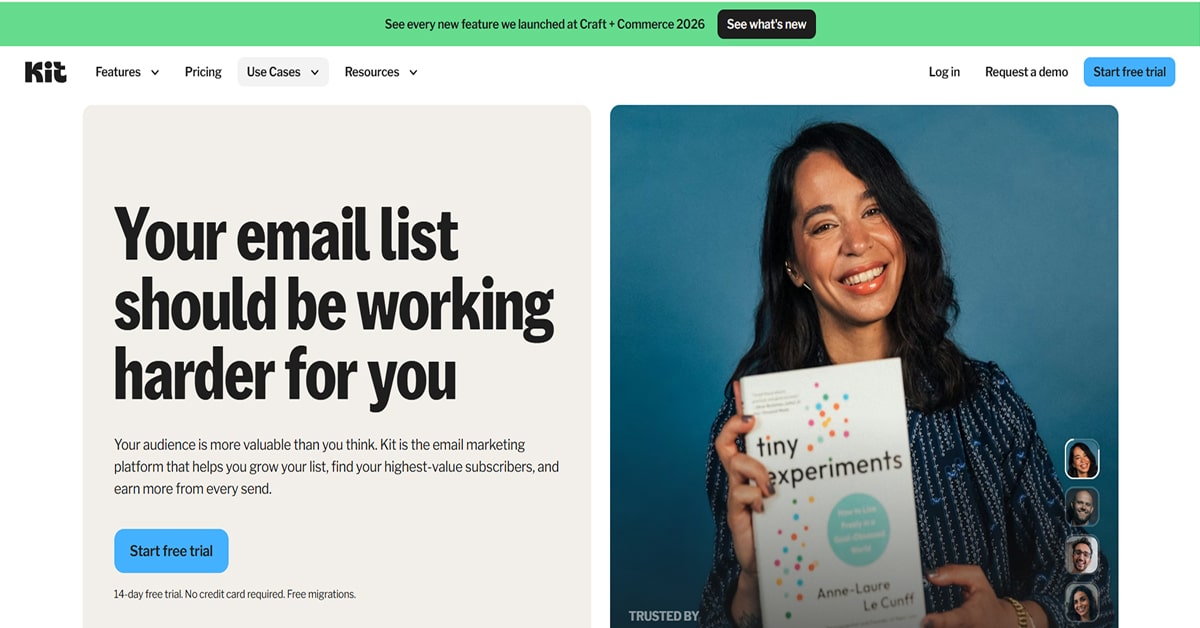
If you are looking into Kit pricing, you’re probably trying to figure out how much it really costs once you start growing an email list—and whether it’s actually worth it compared to other tools.
Kit is an email marketing platform made for creators, bloggers, coaches, and online businesses who want to build and monetize an audience. Instead of a fixed monthly fee, it uses subscriber-based pricing. That means your cost changes depending on how big your email list gets.
At first, it looks simple.
But once you start using it, the real cost depends on how fast your audience grows and what features you actually need.
Let’s break everything down in a clear way so you know what you’re really paying for.
Kit Pricing Overview 2026
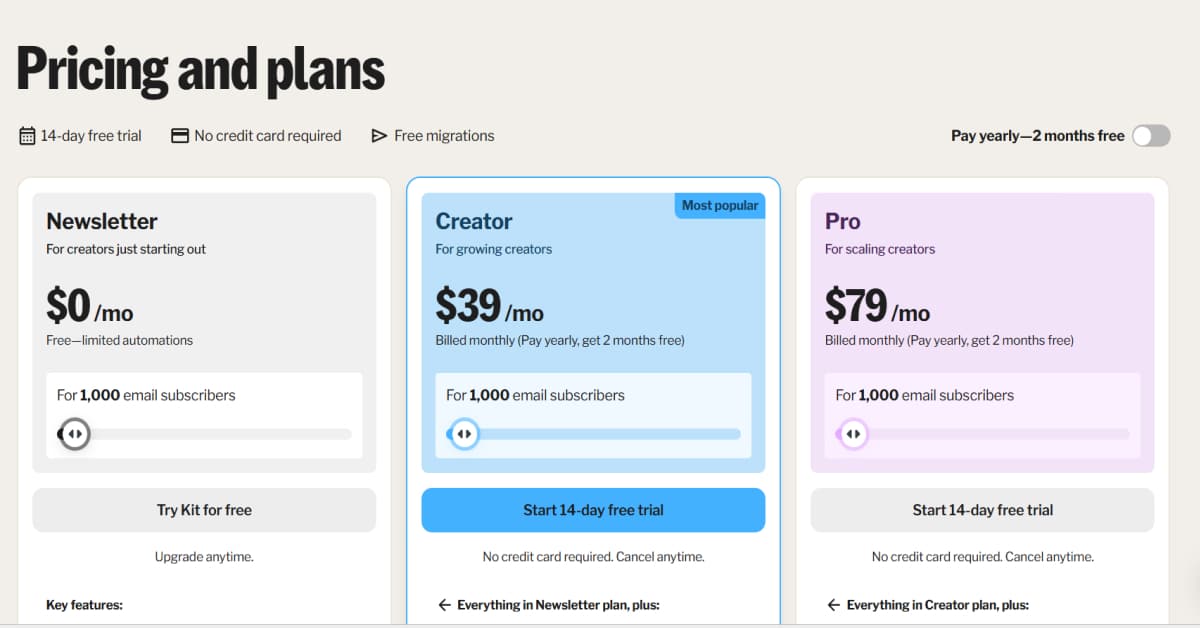
Kit has three main plans:
Free Plan (Newsletter)
- $0 per month
- Up to 1,000 subscribers
- Basic email tools included
Creator Plan
- $39/month - billed monthly (pay yearly, get 2 months free)
- Increases as your list grows
- Designed for growing creators
Creator Pro Plan
- Starts around $79/month - billed monthly (pay yearly, get 2 months free)
- Also increases with subscribers
- Built for advanced users
What’s important here is that Kit pricing isn’t just about features—it scales with your audience size.
How Kit Pricing Actually Works
This is where most people get confused.
Kit doesn’t charge a flat rate. Instead, your bill increases in tiers based on subscriber count.
So what happens is:
- You barely pay anything when your list is small.
- Your cost slowly increases as your audience grows.
- It becomes a more serious monthly expense once you scale
It’s not random. It’s tied directly to your growth.
That’s also why Kit is usually used by creators who are planning to monetize their audience.
Kit Free Plan (What You Actually Get)
The free plan is one of the reasons people try Kit in the first place.
And unlike many tools, it’s not just a “trial version.” You can actually use it properly.
With the free plan, you can:
- send email broadcasts
- create landing pages
- build signup forms
- set up basic automations like welcome emails
- manage your audience
- grow up to 1,000 subscribers
What makes this useful is that you can already start building an audience before paying anything.
For beginners, this removes a lot of pressure because you don’t need to commit right away.
It’s commonly used by:
- people starting a blog
- small creators testing content
- side projects
- beginners building their first audience
ConvertKit Creator Plan (Where Most People Upgrade)
The Creator Plan is where ConvertKit starts becoming a real business tool.
This is usually the point where creators begin thinking seriously about automation and income.
What it adds:
Email automation
You can build sequences like:
- welcome emails when someone joins your list
- email funnels for products or services
- scheduled content flows
Instead of manually sending emails, everything runs automatically in the background.
Visual automation builder
You don’t need coding or technical setup. You can visually design:
- When emails go out,
- what triggers them
- ? How subscribers move through your system
This is what makes scaling much easier.
Tagging and segmentation
You can group subscribers based on behavior, like:
- clicked links
- signed up for a freebie
- purchased something
- engaged regularly
This matters because not every subscriber is the same. Some are warm leads, others are just browsing.
Landing pages and forms
You can also create:
- opt-in pages
- lead magnet pages
- embedded signup forms
So you don’t always need external tools.
This plan is usually best for:
- bloggers monetizing traffic
- coaches selling services
- creators launching digital products
- Freelancers building funnels
Most people upgrade here once they start growing consistently.
Kit Creator Pro Plan (Advanced Level)
The Creator Pro Plan is for people who already have traction and want to optimize results instead of just sending emails.
It includes everything in Creator, plus deeper analytics and control.
You get:
Better reporting
You can tell which emails your audience responds to and which ones fall flat.
This helps you understand:
- what content does your audience respond to
- what drives clicks
- what leads to conversions
Subscriber scoring
This helps you identify your most engaged readers so you can focus on people who are actually interested in what you offer.
Deliverability insights
You can see whether your emails are landing in inboxes or ending up in spam.
Referral tools
You can make it easy for subscribers to share your emails so your audience grows more naturally over time.
This plan is usually used by:
- full-time creators
- established newsletters
- businesses earning from email
- high-volume audiences
If you’re still growing, this plan is usually not necessary yet.
Is Kit Expensive?
Not really!
It depends on your stage.
Kit isn’t the cheapest tool, but it’s also not overpriced for what it offers.
You’re not just paying for email sending. You’re paying for:
- simplicity
- reliable delivery
- tools that help you earn from your audience
So instead of asking “is it cheap,” a better question is:
👉 Does it help you grow faster and earn faster?
Kit Discounts and Savings
Kit doesn’t really rely on coupon codes, but there are still ways to save:
1. Start With the Free Plan
Stick with the free plan! Focus on growing your list first, and only upgrade when you really need more features.
2. Pay Yearly Instead of Monthly
Paying yearly saves you money in the long run. While the upfront payment is bigger, your monthly cost ends up being lower.
3. Keep an Eye on Black Friday
Always seek out deals on Black Friday. Some years have good discounts, while others might not. Still, it only takes a couple of minutes to check before you buy.
4. Check Creator Partnerships
Bloggers and creators sometimes share special Kit deals with their followers. These might not always be direct discounts, but it's worth seeing what's out there.
5. Remove Inactive Subscribers
People often forget this step. Since Kit charges you for every subscriber, keeping inactive ones can waste money. Cleaning up your list helps lower your bill and usually boosts your engagement rates, too.
Who Should Use Kit?
Kit is a great fit if you’re building something around an audience and want actually to grow it over time, not just send emails. It’s more about connection, consistency, and turning followers into something more meaningful.
Best for:
- bloggers
- YouTubers
- coaches
- freelancers
- digital product creators
- newsletter owners
Not ideal for:
- people who only need basic email sending
- users are not building an audience
- people looking for the absolute cheapest tool
If you’re serious about growing and engaging an audience instead of just sending occasional emails, Kit is built exactly for that.
FAQ
Is Kit just for email marketing?
Not really. Email is the main part, but it’s more about building and growing an audience over time.
Can I change plans later on?
Yes. You can switch anytime, depending on your needs or subscriber count.
Do I need a website to get started?
No. You can start with just a landing page and an email list.
Is Kit only for people who already have an audience?
No, you can begin with just a landing page and an email list.
Can I move my list from another tool?
Yes. Most email tools let you import subscribers and set things up fairly easily.
Final Verdict
Kit is worth it! It’s especially useful because it combines email marketing, automation, and monetization tools in one platform.
