
Definitive guide
Divi vs Wix
Divi vs Wix Review 2026: The Ultimate Comparison
Divi vs Wix
So… you are trying to pick a platform and you are down to Divi or Wix. Honestly, it is a total nightmare of a tech rivalry. Users online jump down each other's throats over this, and nobody ever agrees. Both tools promise a complete rookie can build a gorgeous site overnight. Do not fall for that trap. The actual day-to-day grind of designing pages is completely different on each one.
One interface might just click with your brain!
The other choice will drive you absolutely insane and kill your workflow.
Trust me, if you build your project on the wrong foundation, you are going to get trapped in a software loop. You will sit there furious, staring at your screen while your loading speeds crawl and your layouts break. Pretty exhausting.
Let us look at Divi first. It takes a pretty weird approach. Divi turns your monitor into an open visual canvas where you click directly on the text to change it. You might love that total visual freedom. Or, like a lot of people, you might find the floating settings menus messy and distracting. I am one of them.
But… here is the massive win for your wallet: the lifetime membership. You pay once. After that single check, you can run the builder on hundreds of client sites without constantly flushing money down the toilet on annual subscription renewals.
Wix goes the exact opposite direction. They lock everything into an all-in-one bucket. Your hosting, your domain, and your drag-and-drop tools all live inside a single dashboard. It is incredibly convenient if you hate dealing with tech setups. But the recurring costs will absolutely drain your business budget if you build projects for clients. They expect you to keep paying every single year without stop, leaving you completely stranded with endless bills.
Let us look closely at how these two actually perform when you use them.
Editor
Divi Editor
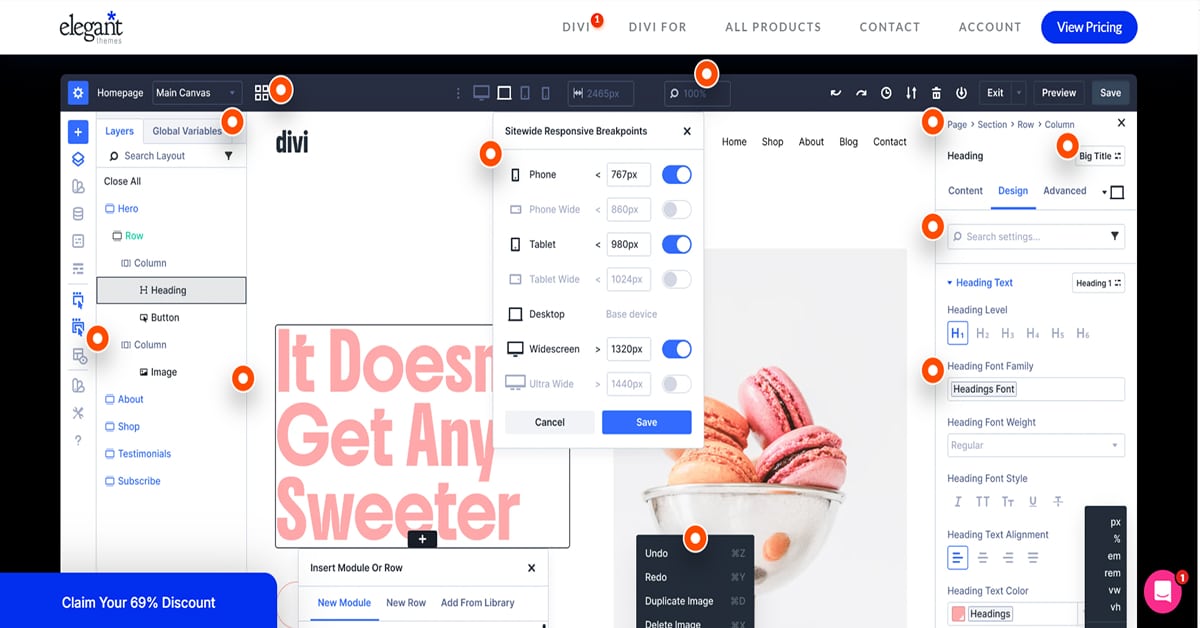
Think about how you work every single day. If you choose Divi, you are jumping right into a front-end visual canvas. You click right on the text in front of you to type. You grab the edges of your columns and drag them to adjust your spacing. If you are a visual thinker, you will probably love this style because you do not have a massive sidebar sitting between your mouse and your layout.
But you have to consider your computer hardware. This fluid setup places more of the editing workload on your browser, especially on complex pages. If you build massive pages, you will experience rendering lag depending on your local machine specs. If you see an element shift out of place while you edit, do not panic. You are likely dealing with a local caching glitch or fluid responsive breakpoints, not a broken theme file. You will also spend extra time hunting down specific margin controls because they pack a huge number of styling options into nested menus.
Wix Editor
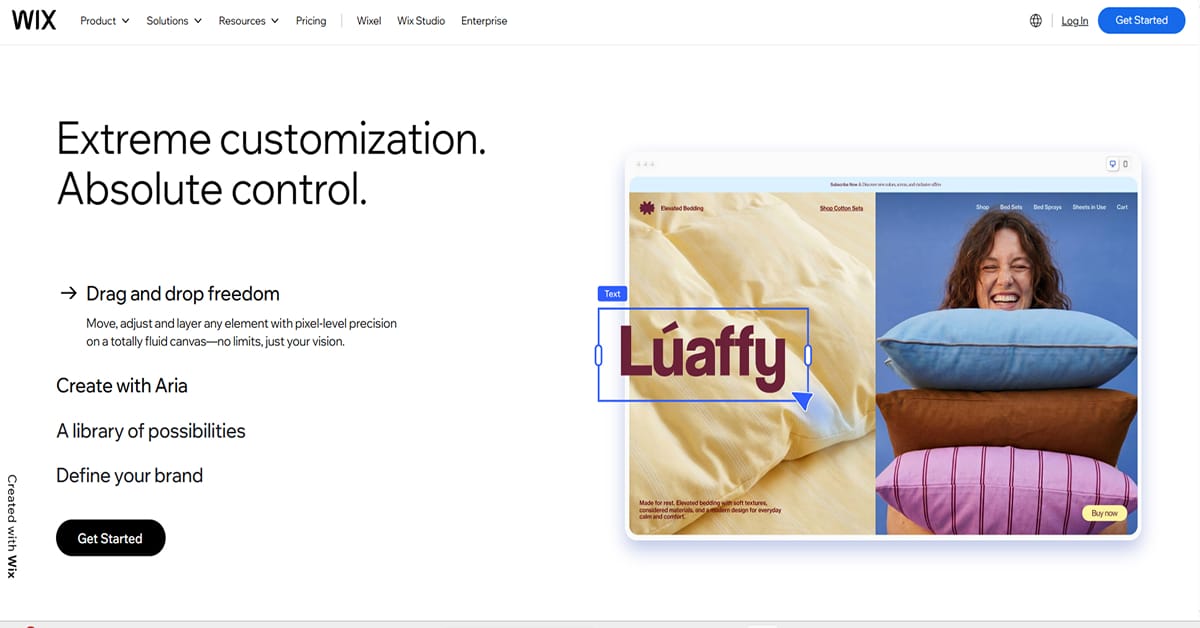
The Verdict
Stop listening to sales pitches. Listen to yourself. Your needs. Your work. Your final move depends entirely on how you want to handle your cash and your business.
Building pages for clients means Wix will absolutely fleece you. You will bleed cash on endless yearly renewals. Grab Divi instead. You buy that lifetime license once and your margins stay safe. Also, Divi keeps your mobile layouts locked down tight so things do not collapse when you look away.
Maybe you just need one quick site for your personal storefront. If so, Wix works out fine. You try the monthly premium, you take the bundled hosting, and you deal with the mobile layout tweaks to get online. But if you plan to build multiple sites and keep your profits, Divi takes the crown easily.
Ease of Use
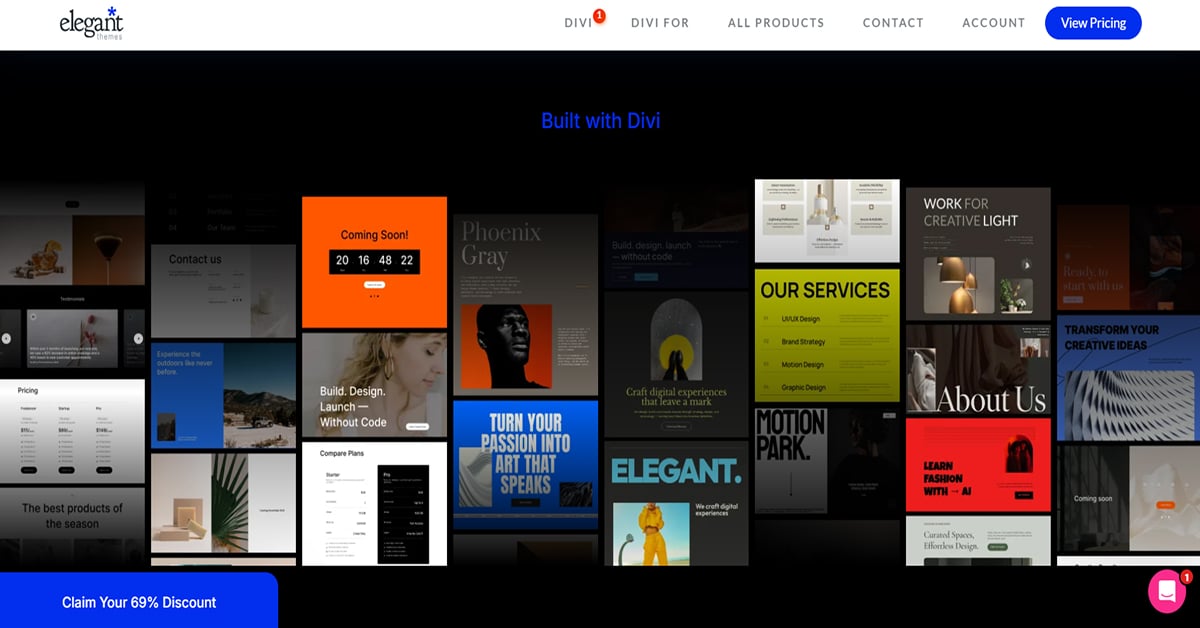
Web design can be a total nightmare, but Divi and Wix stop you from completely losing your mind. They use totally different tactics to do it. Pick the wrong one for your personality and you will end up wanting to throw your laptop out the window.
Divi drops you right into an empty page. No sidebars. Nothing blocking your view. If you hate digital clutter, this rules. You literally just click some text and type right there on the front end of your site. It feels like messing around in a basic Word document that magically morphs into a website. But it trips people up. The settings menus do not stay put. They pop up in these floating boxes that drift around your screen while you work. If you like total freedom, you will love it. If floating menus make you furious, you are going to hate it.
Then you have Wix.
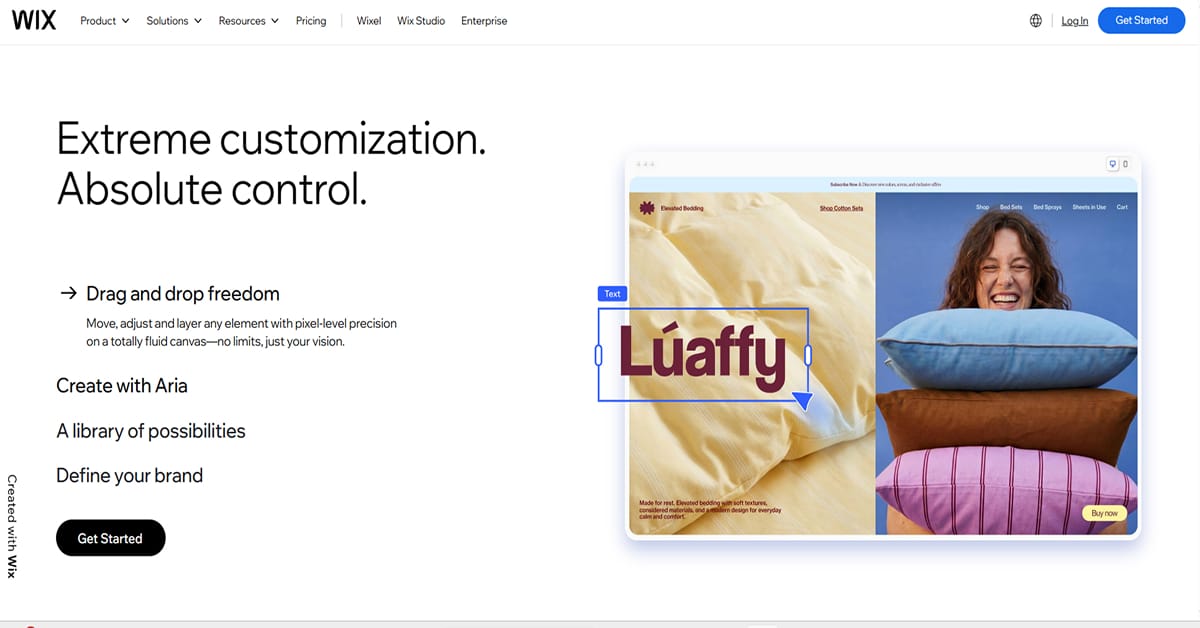
Wix removes the initial technical setup completely. You create a free account, answer a couple of straightforward questions about your goals, and the platform generates a functional layout automatically. Easy!
The entire process takes under three minutes. What more can you ask for?
The primary dashboard relies on simple terms instead of complicated hosting terminology. You never have to worry about writing code, configuring third-party server files, or managing database updates. The system handles all maintenance behind the scenes. For an independent business owner who just needs to get a clean profile online quickly over the weekend, the onboarding process is exceptionally smooth.
Ecommerce

Divi
Building an online store with these two tools requires completely different strategies, and picking the wrong setup will make you regret starting your business.
Divi pushes you toward a template-driven workflow through its Theme Builder. You use its built-in WooCommerce modules to build a master layout, and then that template automatically rolls out across your entire shop catalog. Easy.
Got hundreds of items? Divi’s approach saves your life. Your store design stays exactly the same without forcing you to click and check every single page one by one. But watch out. Your layout configuration matters. Sometimes you literally have to load the live page on the front end just to double-check that weird product variations aren’t completely broken. It takes real discipline to set up, but it stops huge inventories from turning into total chaos.
Wix
Final Verdict: Both Divi and Wix are perfect for Ecommerce. Both of them have great modules that allow you to create amazing shop pages.
Features
Both Divi and Wix have a lot of features. Honestly, I can't think of any features I would like to add to either one of them.
However, I can imagine you want to know more about what features are included. So here we go.
Divi Features
Blogging
Let's be honest, Divi is the best blogging tool out there. It's great for SEO and has all the features you need to build a successful blog:
- Text blocks
- Image blocks
- Video blocks
- Email options
- ... and so much more
I've built several blogs which have over 1 million annual visitors – all built with Divi.
Contact Form
Enjoy a full-feature contact form builder. Create custom form fields to collect any type of information from your visitors. Hide and display input fields using advanced conditional logic. Style each input individually using a full range of design options.
Photo Galleries
Divi has always been popular with designers and photographers— partly because of their beautiful photo galleries.
- Gallerie styling
- Click-through URLs on images
- Lightboxes
Optin Forms
Build your email marketing lists with Divi's email opt-in module. Divi comes with an impressive range of email provider support, allowing you to build lists on almost any platform. You can even create custom fields, allowing you to build segmented lists and collect unique information from your subscribers. It also comes with GDPR compliance features.
Analytics
Divi has some powerful analytics tools, that allow you to see which buttons or which headlines perform better.
Marketing Tools
Divi is great for online marketing wizards. It comes with some powerful tools:
- Lead generation
- Built in Split Testing
- Conversion Insights
Now let's continue with Wix's features.
Wix Features
Blogging Tools
Are you into blogging? If yes, Wix allows you to write articles and launch them to the web instantly without backend setup. The server creates your page data automatically so you never waste time managing keyword fields. You can drop your images or video clips right into your text layouts while drafting. The platform sends out email newsletters to your audience the second you publish new content.
Form Creator
You can gather guest info or answers from your audience in a minute. Drag an input block into your layout to grab user files or contact details without touching complex code scripts. The settings panel lets you hide specific fields until someone clicks a certain option on their screen.
Image Showcases
You can display your portfolio files using media grids that open fast on mobile devices. Drop active destination links onto individual images to send your web viewers straight to a checkout page. The tool uses crisp lightbox popups so people can view big graphics without exiting your current page layout.
Email Captures
Grow your mailing list right from your main control dashboard. Your web forms pass data to internal marketing tools to organize subscriber labels automatically. The system relies on standard privacy checkboxes to keep your data gathering legal without causing technical server headaches.
Traffic Tracker
Look at your reader numbers using simple analytics sheets that update throughout the day. You check which specific layout buttons get pushed the most by your web traffic. The panel reveals exactly what text line grabs the most eyes so you fix your pages based on real clicks.
Site Triggers
Stop drafting welcome notes to your new users by hand. The platform fires off an introductory email the exact split-second a reader fills out your form. The dashboard monitors your sales figures in one spot so you track exactly where your buyers come from.
So... which one wins? 🤔
Your final decision between these two feature sets drops down to one single choice. You either want a finished platform that runs itself or a blank slate that you control completely.
Pricing
Let's talk about pricing. This might be the variable that could help you choose between Divi and Wix.
In my opinion, Divi is the clear winner here. Let me explain.
Divi Pricing
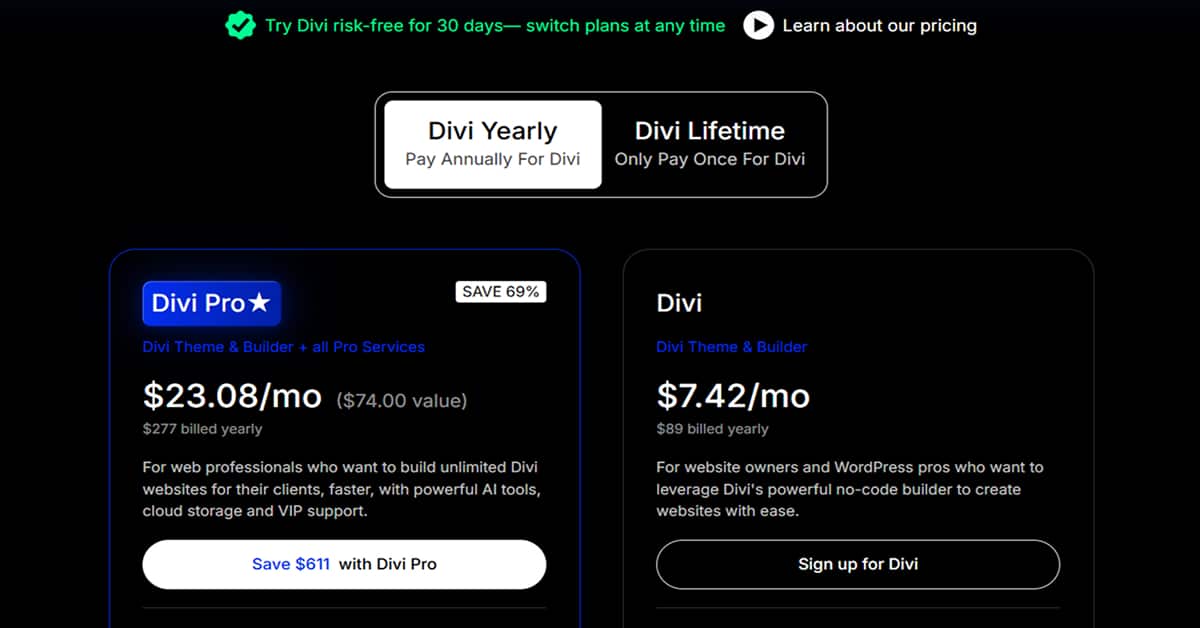
Buying a page builder subscription usually feels like a trap because of arbitrary site limits.
Elegant Themes handles their plans quite differently. It appears that their standard yearly tier costs around $89, which grants full rights to the core visual builder software for an unlimited number of live clients builds. This unlimited policy is a massive distinction. Most competing layout plugins restrict you to three or five installations before forcing an upgrade to a more expensive agency membership.
In our experience, if you actively manage more than three active client portals, the entry price here becomes a direct business asset.
Then you have the lifetime access license. It is a single payment of roughly $249. Pay once. No recurring credit card charges or unexpected annual price jumps down the road. It is suspected that this specific single-purchase option is why freelance designers tolerate the initial software interface learning curves. If you intend to stay in the web design business for longer than two consecutive fiscal years, the upfront lifetime commitment pays for itself almost immediately.
There is an add-on layer to consider though. Elegant Themes now heavily promotes its premium bundle package, often labeled as Divi Pro, which packages the basic theme licenses alongside cloud storage infrastructure and their internal automation writing toolkit. It seems that this advanced package might be unnecessary overhead for smaller agencies.
You do not need the top-tier bundle to access the core framework optimizations or database code rewrites. If you just require the standalone system builder to construct custom page architectures for your current client roster, sticking to the standard base licensing options keeps your operating overhead incredibly low.
Wix Pricing
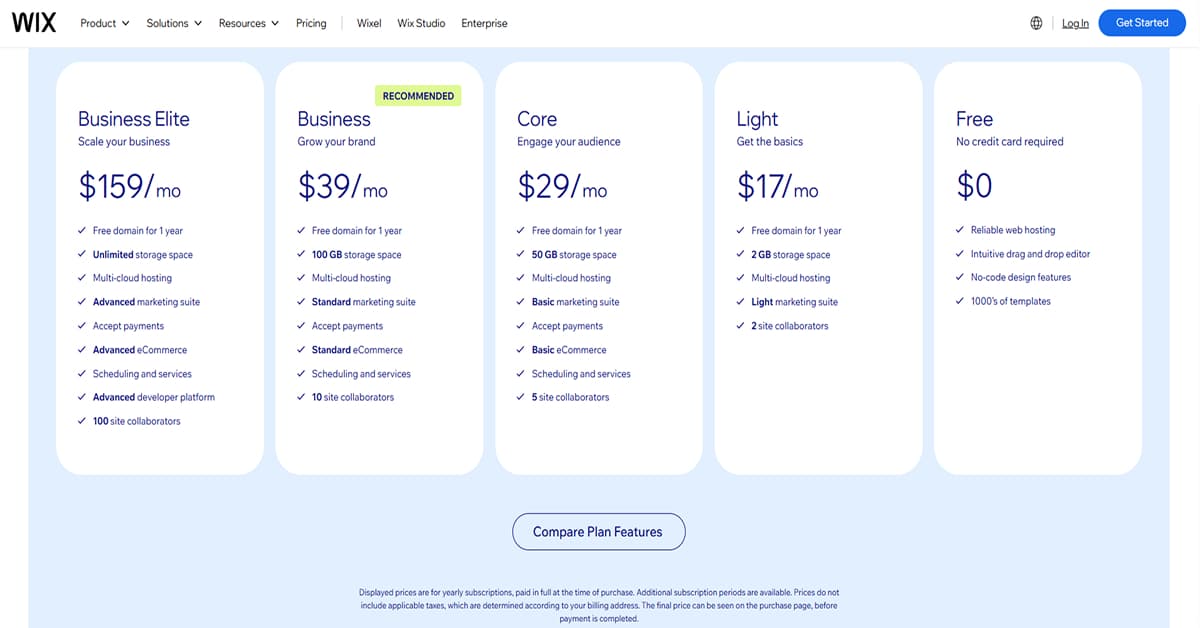
Wix structures its pricing around fixed monthly tiers tied to annual commitments. Would you prefer this payment structure?
Wix offers a basic free plan, but it comes with a major catch: you are stuck using a generic Wix subdomain and have no control over your own branding. For a professional business setup, you will need to jump immediately to the Light tier, which runs about $17 a month. This level removes the Wix ads, gives you a free custom domain for your first year, and lets you add two team members.
The real shift happens when you want to accept online payments or run an online store.
You will have to upgrade to the $29-a-month Core tier just to open up standard checkout features. This option also bumps your storage to 50 GB and gives you five staff accounts. Pretty good if you ask me.
For growing brands, the Business tier costs $39 a month, offering 100 GB of space, advanced marketing tools, and ten team logins. Neat! If your traffic and sales skyrocket, you might eventually need the Business Elite plan at $159 a month. This top option removes storage limits completely and opens up full developer access for up to a hundred users.
However, there is a massive financial catch with this model compared to open-source alternatives.
Every single landing page, portfolio, or storefront you build requires its own individual premium subscription. You cannot share one paid plan across multiple client sites or separate projects. If you are managing multiple clients, these individual bills add up incredibly fast, creating a massive monthly overhead that bites heavily into your agency's actual profit margins.
SEO
Picture this…. your client’s site just tanked in search results because a major algorithm update hit overnight. What a bummer. If you built that site on Wix, you are stuck waiting for their engineering team to patch the backend platform. Wix handles your XML sitemaps, controls your canonical injections, and compresses your media files automatically. For basic setups, this managed infrastructure keeps you from pulling your hair out. You push publish and walk away.
However… during a crisis, you are entirely trapped inside their sandbox.
Now look at the alternative. If you deployed that same site using Divi on a self-hosted WordPress setup, you don’t wait for anyone. You log directly into your SEO plugin dashboard, rewrite your schema distributions, tweak your server-side caching rules, and force-index the fixes immediately. You have absolute, unrestricted control over database queries and server hardware routing. You did everything on your own skills and time! This is why agency owners run to open-source tools when scaling serious client portfolios.
The choice hits your daily workflow directly. Wix protects you from the technical plumbing but fixes your ceiling. Divi forces you to act as the system administrator, build the infrastructure from scratch, and audit your own plugins in exchange for true operational ownership.
Domains & Emails
Customer Support
If you care a lot about good customer support, this could help you make a decision.
Again, Divi is a clear winner here.
Have a look at the Trust Pilot profile of Divi.
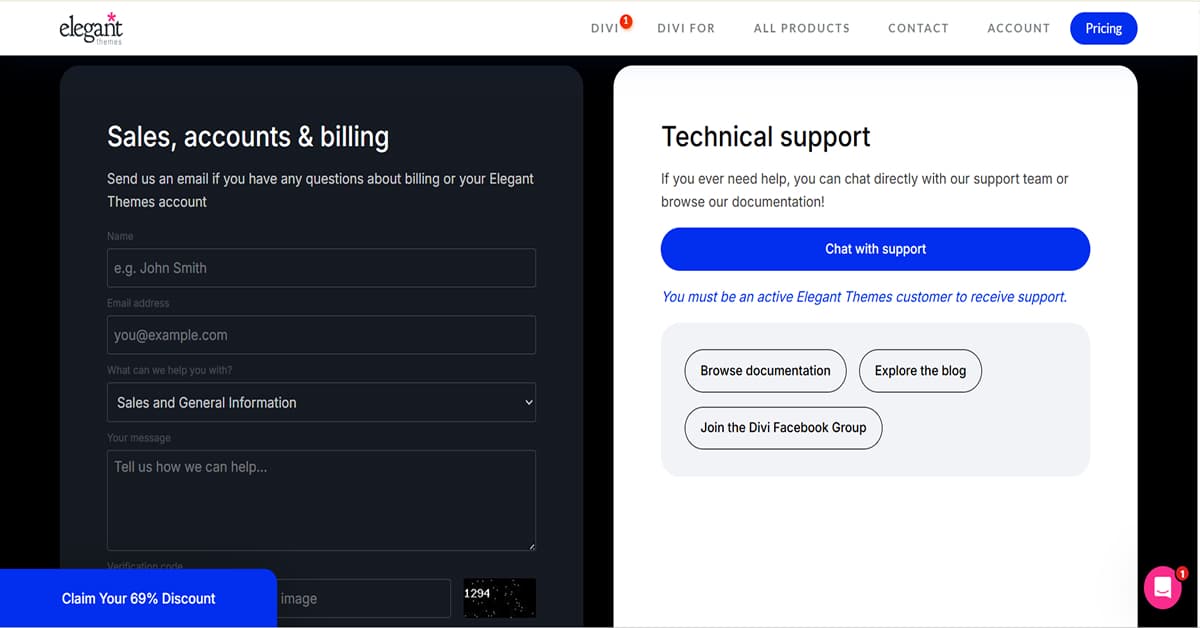
Divi support is a total mixed bag. You get a chat box directly inside your Elegant Themes portal. Thankfully, no automated bots block your path. You connect with real people immediately. Basic layout bugs get handled fast by the lower-tier staff.
But look, deep technical issues will test your patience. Say your Divi builder breaks over a weird server configuration conflict. The front-line agents quickly run out of answers. They just forward your ticket to senior engineers. That escalation process forces you to wait full days for a response. If your client's site is actively down, this waiting game is brutal. It feels like an aggressive push to make you buy their premium VIP support addon.
Your best bet is actually skipping the official queue entirely. The unofficial Divi Facebook groups are completely massive. Thousands of independent web developers hang out there daily. Got a weird styling glitch at midnight? Throw a screenshot into those community forums. Random users will usually solve your problem way faster than the official support desk can. Easy!
Wix Support
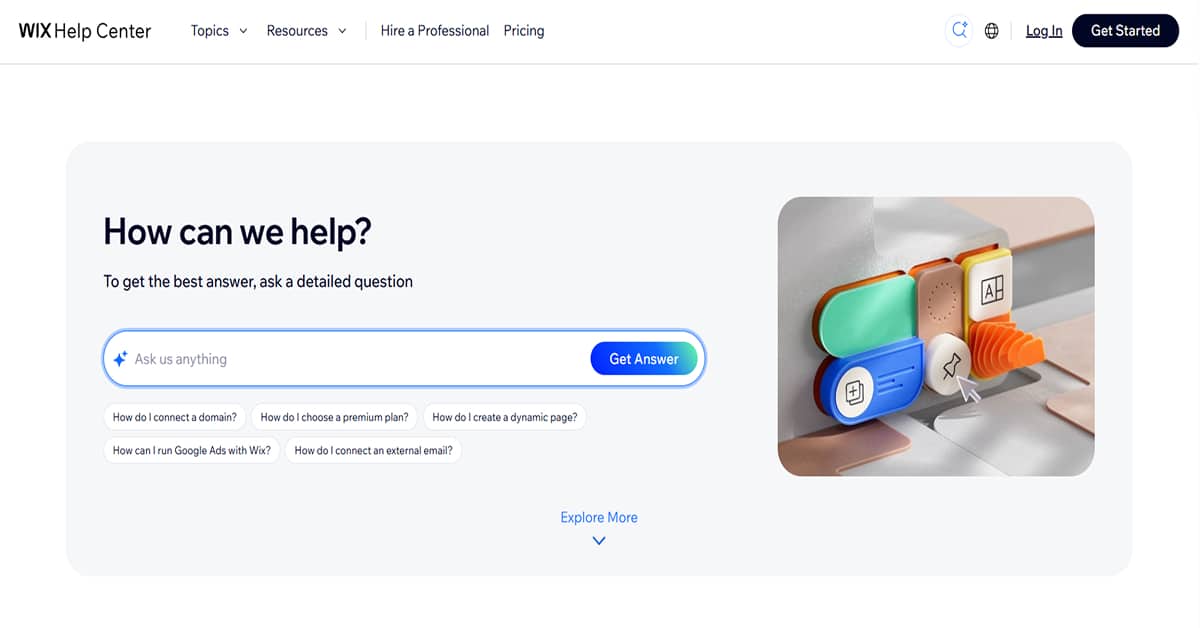
Imagine waking up at two in the morning because a client is calling you, furious, because their checkout page crashed during a holiday flash sale.
If your site lives on Wix, you have to go through their standard automated channels first. You get to sit there interacting with an automated chatbot, navigating through self-help articles just to request a real human callback or open a live chat ticket. If you are on their standard monthly plans, you wait in the standard support queue while your client's revenue drops. Their help center documentation works perfectly fine if you just need to point a domain or fix a broken text box.
But the moment a custom API script or payment gateway breaks, the frontline reps cannot modify the closed platform code to fix your unique bug.
The support experience shifts if you opt for a Wix Enterprise subscription. That higher tier gives you a dedicated account manager and a direct path to specialized platform engineers who handle advanced technical issues. This route bypasses general support streams to help streamline the troubleshooting process.
Your entire safety net depends on how much you want to invest in your plan. Wix reserves their dedicated account managers for their higher-priced tiers, leaving standard users to manage technical platform issues through general chat and callback queues.
Final Verdict
In the end, I recommend Divi over Wix. Here's how I would summarize it:
- Divi has better customer support!
- Divi is cheaper. A license is valid for unlimited websites, and they even offer a cheap lifetime license.
It's worth mentioning that this doesn't mean Wix is bad. It's more about how good Divi is.
I hope you found this comparison helpful – thanks for reading until the end!